Public transportation: Take the U9 or U14 to "Friedrichsbau (Börse)" or all S-Bahn lines to "Stadtmitte".
By car: There are two car parks immediately adjacent to the library.
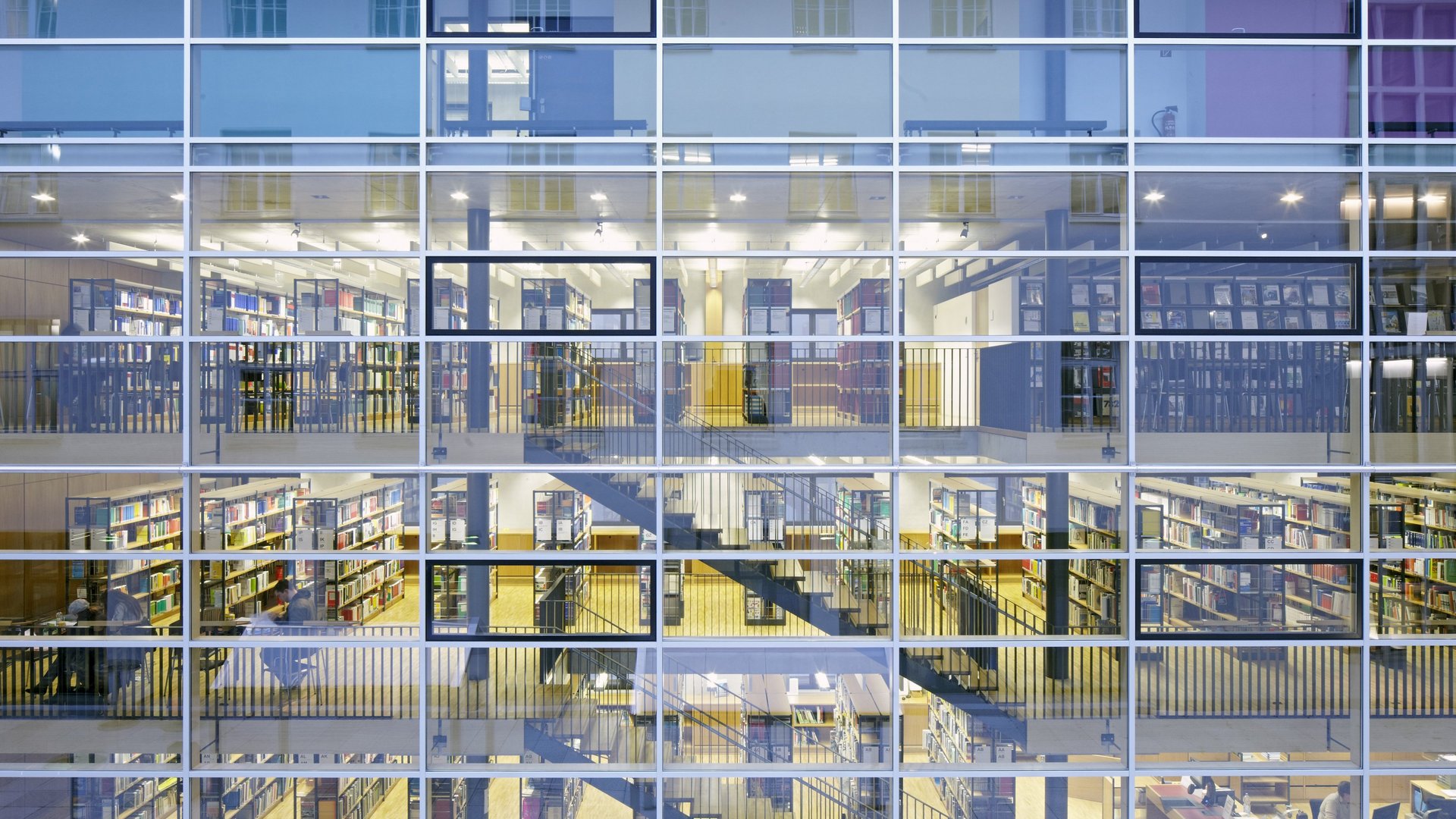
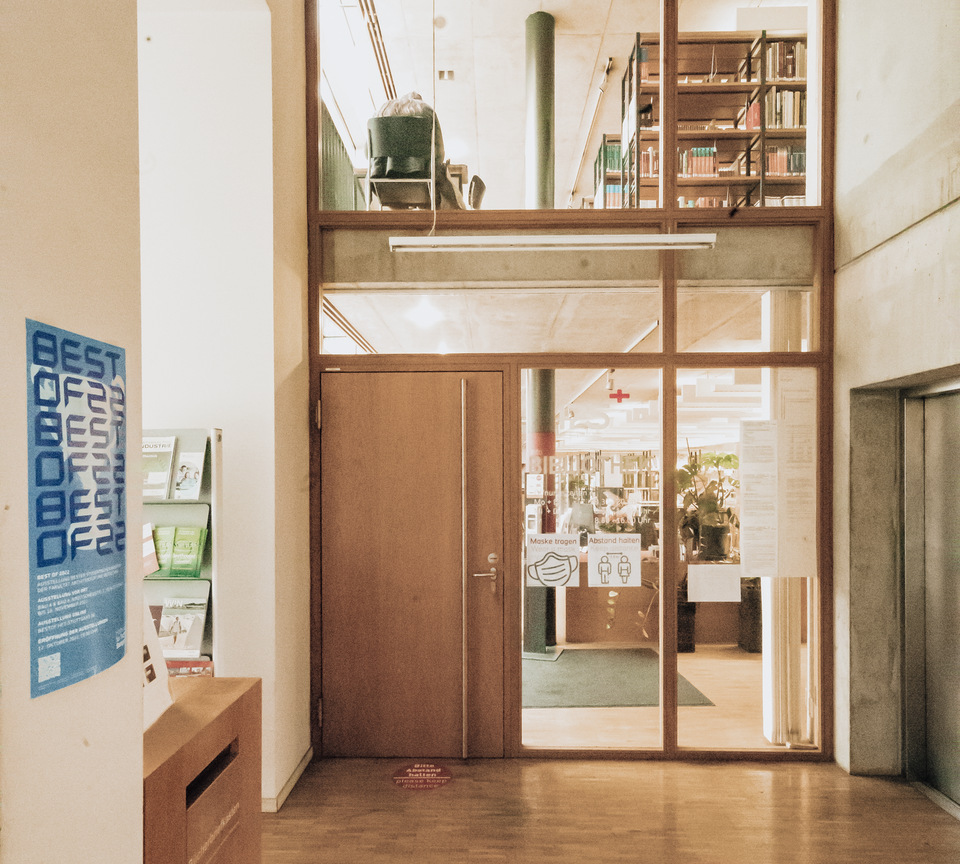
The library is located in building 2 (Bau 2) of the HFT, between a ministry building (Ministerium für Arbeit und Soziales) and the car park "Hofdienergarage".
The library provides numerous desks for you to work at with
books and laptops. A W-LAN Hotspot covers all areas within the
library.
There are two PCs for database research on the first floor, as
well as two PCs with flatbed scanners and a copier on the second
floor.
It is not possible to print digital data in the library. However, there are PC rooms in the building where printing is possible.
If you are a student at HFT, library membership is automatically
established through your student ID card.
Please note: The library account contains the same information
that was registered for your university enrolment.
If something changes about that data, please inform the admissions
office as soon as possible so no messages sent to you will get
lost.
If you are not a member of HFT, you will have to fill out a registration form. If your address data changes, please contact us as soon as possible so no messages sent to you will get lost.
You can only apply for library membership if you have a place of residence within Baden-Württemberg or are a student at a university in Baden-Württemberg. When contacting us for a membership application, please bring a valid passport and a certificate containing a contact address in Baden-Württemberg for us to reach you at.
If you cannot provide any such certification, you can still use the library collection and databases on-site. However, you cannot check out or place a hold on any materials.
Before you are about to be exmatriculated, you will get a process slip from the admissions office. You can only officially leave the university if you have proof that there are no library materials in your possession and there are no outstanding fees. Please bring the process slip to the library during opening hours. Our staff will mark the document accordingly and delete your library account.
If you would like to stay a library user, please have the staff issue an external user card for you.
Please contact the library staff immediately upon losing your card. That is the only way we can make certain no third person checks out books in your name, possibly leaving you with fees for overdue books you do not have.
If you are an external user, we will issue you a replacement card. However, we will have to charge a 5 Euro administrative fee.
Please notify the university’s admissions office and the library staff, respectively, of any changes so we can reach you. If messages get lost due to invalid address data, arising fees still have to be paid.
No, please lock away your bags upon entering the library for your own and our security. We provide metal baskets for any laptops or other utensils you wish to work with in the library.
The change in the library’s cash register is reserved for paying fees and related matters only. If we made change for every locker, we would run out of one-Euro-coins very fast.
With the exception of screw-cap bottles (no thermoses) we cannot permit food or drink on the library premises. There is too much danger of users inadvertently damaging books. We are sure you wouldn’t like to work with books smudged by another person either.
No, please don’t bring dogs (or any other pets) to the library.
There is an elevator in the library building. However, it can only be operated by library staff.
All library services (with the exception of using the copying
machine) are free.
The only costs you might encounter are fees for overdue, damaged
or lost books or if you have to order a replacement library
card.
HFT students can check out up to 30 items at once.
The limit for external users is 20 items at once.
After checking out materials, the first due date is four weeks afterwards (for materials from the professors’ reserved reading shelves: two weeks). Every renewal adds another four (or two, respectively) weeks.
Our online catalogue features a menu item called "My account". After logging in with your library user number and the respective password, the site will show you a summary of checked-out and reserved materials. Click the link "Display or renew checked out item" to view the due dates.
If for any reason you cannot access the online catalogue, please contact the library staff.
The system automatically sends an e-mail reminding you of due dates when they draw close. However, this additional service may be subject to maintenance issues or technical difficulties, so please do not rely on it and keep an eye on due dates yourself.
Checking out materials is only possible within opening hours.
To return books, you may use the return box in front of the
library outside of the opening hours as long as the university
building is open (7 a.m. to 9 p.m.).
Please note that materials returned this way will not be
discharged from your account until the next regular opening day.
Keep this in mind with respect to overdue fees.
If the box is full, please don’t place any more books inside or on top of it! The library cannot be held responsible for stolen books that are still charged to your account.
Using the online catalogue, you can renew any checked out item yourself. Please log in using the menu item "My account" and click the link "Display or renew checked out item". A list will show up, enabling you to choose items to renew by clicking the respective checkbox. Please note that materials can only be renewed as soon as three days before their due date.
When you click the button "Renew", the list will display the new due date or, respectively, if and why the renewal didn’t work (i.e. because another user has placed a hold on the item, the original due date is more than three days in the future, you have already renewed the item three times or your library card isn’t valid for some reason).
If for any reason you cannot access the online catalogue or the function "My account", please contact our library staff and ask them to fix the technical issue or renew items for you if there are no reasons against it (see above).
Checked out materials can be renewed up to three times under the aforementioned conditions.
If you have already renewed an item three times but would like to keep it even longer, please take the item to the library staff with this request. If nobody has put a hold on it, the staff will re-charge it to your account and you will again be able to renew it three more times yourself.
If there are no reasons to prevent it (see above), you can renew it even after the due date has passed - even after an overdue fee has already been issued. Please note that fees you had already been informed about will still have to be paid.
If you give your library card to that person, they can check out books for you. Please note, though, that you are still responsible for the card and any materials charged to your account this way.
Books labeled this way are part of the reference collection. They are supposed to remain on the library premises at all times.
Usually, these books are directories, dictionaries, encyclopedias, (bound) periodicals or a reference copy of an especially popular textbook for those users not fortunate enough to be able to check out one of the lendable copies.
Books labeled as reference items can in some cases be checked out as soon as one hour before the library closes on that day. They have to be back no later than 10 a.m. the next day to avoid special increased fees.
Periodicals and loose leaf collections are exempt from any lending services and have to remain in the library at all times.
There are two PCs with flatbed scanners and a copier on the third floor of the library. Please feel free to make copies of any reference works that cannot be checked out.
We cannot purchase more than one copy of any journal issue. Therefore we would like to make the contained information available to all our users at all times.
Please don’t use the self-service counter to check the item out but present it to the library staff. We will mark the book accordingly. This is the only way we can guarantee you won’t be held responsible for the damage done to the book upon returning it.
Please contact the library staff. We assess the damage and issue
an invoice for repairs or replacement.
If you return the damaged book by using the return box, we will
determine your contact data from your library account.
Please contact the library staff immediately, even if you think
you can find the book again (i.e. if you have left it at a friend’s
place) to avoid overdue fees.
If you are certain that you cannot find the book again, your
options are to purchase an equivalent copy for the library or pay
the purchase price, including an administrative charge.
Use the online catalog to search for a specific item. The
detailed display contains a table listing all copies available from
the library. You will find a combination of letters and numbers in
the column "Call Number". You can find the same number on the spine
of the respective book.
On the face side of the library shelves, you will find the letters
at the start of the number along with the subjects they are
allocated to. Within the respective part of a shelf, the books are
sorted numerically (exceptions: see below).
Current issues of journals are sorted into boxes on the third floor of the library. Bound back issues can be found in the adjacent shelves, alphabetically sorted by title (not their spine labels).
Does the item’s call number start with AB, AC or NG? These materials are sorted by the person or location they are about. They are labeled accordingly on the book spines. Does the item’s call number start with Z? If it does, you are looking for a periodical (see above). If none of the above applies, take a look at the column "Location" in the online catalogue entry of the item. The information "Archive" means you have to order the item from the front desk. Another possible place to find the item you’re looking for might be on the trolleys for returned books next to the front desk.
You can place a hold on currently checked out books using the
online catalogue. This is a free service.
Open the item’s catalogue entry, click the shopping cart icon
labeled "Order" and, if you haven’t done so before, log in. You
will get an affirmation notice if the process was successful.
Once the item is returned to the library, you will receive an e-mail (please make sure your contact information is up to date). You can then fetch it from the front desk.
Items you have placed a hold on will be reserved for you for one week.
Materials labeled this way are part of the reference collection. In general, you cannot check out these materials. There are, however exceptions (see above: "What does the label "Nicht entleihbar" on the back of some books mean?”)
This error occurs sometimes when you use your browser’s navigation buttons instead of the catalogue’s.
The catalogue was programmed according to a web accessibility policy. Therefore, it only works right when using the implemented navigation. That is also why, if you access it from the library website, it opens in a new window without the browser navigation.
For students: your matriculation number.
For other university members and external users: The number on
your employee ID / library card.
Please contact the library staff. We can reset your password, enabling you to choose a new personal password upon your next login.
If you are certain that the problem isn’t a wrong password, please copy the error message you get when trying to log in and send it to the library staff.
The databases provided by the library record scientific
technical information on numerous subjects that are relevant for
your studies.
Our databases contain, above all, articles from books and
periodicals, but also theses and dissertations, surveys, written
conference material, legal texts and standards. In short: a large
amount of documents to use for your assignments, papers and
theses.
There are two types of databases: Full-text databases that enable you to access articles directly online, and bibliographies where you can find information on the (printed) book or journal containing the information you are looking for.
For full access to databases the library has purchased licenses for, you need to be authenticated as a member of the university, either by using a VPN connection or logging into Shibboleth (see below) or simply by using one of the university / library computers.
To get to the databases, use the database information system
(DBIS) which can be found on the library website; click the menu
item "Digital Library". You can either enter the database’s name in
the search box or have the system list all databases relevant for a
specific subject using the menu items "Fachübersicht" (subject
list) or "Sammlungen" (collections).
The database’s entry in DBIS provides a link to the database’s
interface while automatically authenticating you as a university
member, enabling you to fully access the database according to the
respective license agreement.
You can find detailed tutorials for the most important databases in DBIS and on the library website.
Using the bibliographic data (such as ISBN/ISSN, author, issue and page number etc.) you can search for (printed) materials containing the article you are looking for in other library and bookselling catalogues or full-text databases.
You can only access the e-book collection if you are on a university computer or logged into the campus network via VPN or Shibboleth (see below).
Full texts of e-books purchased by the library can be accessed using the online catalogue. Use the advances search form and choose "E-Book" from the drop-down menu labeled "Type of item". Once you have found an e-book you are interested in, use the link in the table row "URL".
The library also provides a special e-book catalogue that enables you to browse e-books by subjects and other criteria. This catalogue, however, does not include the whole collection.
You can only access the e-journal collection if you are on a university computer or logged into the campus network via VPN or Shibboleth (see below).
The electronic periodicals library (ezb) provides access to full texts purchased by the library. You can find the link on the page "Digital Library" on the library website.
Outside of the library building, only members of the university may use our digital collections from home. There are two options: A VPN connection or Shibboleth.
Please follow the instructions on the IT support website on how to establish a VPN connection:
A login mask to authenticate as a university member via Shibboleth will automatically pop up when you try to access a database from the DBIS interface. Please use the login data provided to you by the university computer centre, not the library data.
You can pay for copies either with your student ID or change.
Please note that the machine has no automatic feeder. Each document you wish to copy has to be put in manually one at a time.
If the paper tray is empty, you can refill it yourself. You can
find new paper on the opposite side of the room on the shelf by the
windows. Instructions on how to refill the paper tray will show up
on the copier’s display.
Log in using the data issued by the university computer
center.
Scanned documents can be saved directly to your shared folder on
the network drive.
There is also a guest account for external users; however, you
need to bring a memory device (flash drive, CD-ROM) of your
own.
The database research computers on the first floor use a central
login. If the computer is off or nobody is authenticated at the
moment, please contact the library staff.
You can send downloaded full texts to yourself using a webmail
account or you can bring a memory device (flash drive, CD-ROM) to
save them onto.